
Introduction
If you’ve ever printed multiple copies of a document, you may have noticed the “collate” option. But what does it actually do? Understanding what collate means on a printer and how it arranges documents can save you time and keep your pages organized. Let’s break it down in a simple way.
What Does Collate Mean on a Printer?
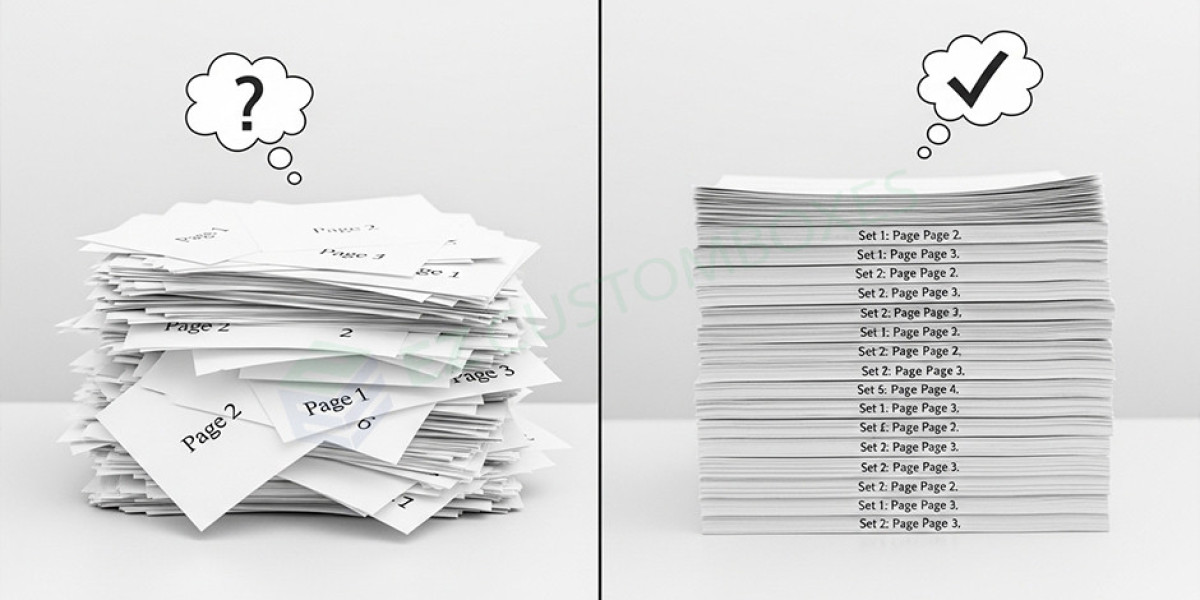
What does collate mean when printing. Collate means printing pages in a specific order so that each set of documents is complete and organized.
Simple Example
If you print 3 copies of a 5-page document:
- Collated:
1-2-3-4-5, 1-2-3-4-5, 1-2-3-4-5 - Uncollated:
1-1-1, 2-2-2, 3-3-3, 4-4-4, 5-5-5
How Collation Arranges Documents
Step-by-Step Process
- The printer receives the document file
- It identifies the number of pages
- It prints each full set before starting the next
- Pages are automatically grouped in order
Why Collate Is Important in Printing
Saves Time
You don’t need to manually sort pages after printing.
Keeps Documents Organized
Each copy is already arranged in the correct sequence.
Improves Efficiency
Perfect for printing reports, booklets, or presentations.
When Should You Use Collate?
Best Situations
- Printing multiple copies of reports
- Creating booklets or manuals
- Preparing presentations or assignments
When Not to Use Collate
- Printing single-page documents
- When sorting pages manually for specific tasks
Collated vs Uncollated Printing
Key Differences
| Feature | Collated | Uncollated |
|---|---|---|
| Order | Complete sets | Grouped by page |
| Organization | Ready to use | Needs sorting |
| Best For | Multi-page documents | Bulk page printing |
Common Printing Settings Related to Collation
- Number of copies
- Duplex (double-sided printing)
- Page orientation
- Print quality settings
FAQs About Collate in Printing
Q1: What does collate mean when printing?
The collate meaning multiple copies of a document in the correct page order for each set.
Q2: Should I turn collate on or off?
Turn it on for multi-page documents and off for single pages or bulk sorting.
Q3: Does collating slow down printing?
Slightly, but it saves time by eliminating manual sorting.
Q4: Is collate useful for single-page documents?
No, it’s mainly useful for documents with multiple pages.
Q5: What happens if I don’t collate?
Pages will print in groups, and you’ll need to arrange them manually.
Conclusion (CTA)
Understanding the collate meaning printer and collate feature can make your printing faster and more organized. Whether you're printing reports or presentations, using collation ensures everything is in the right order.
Next time you print multiple copies, turn on collate to save time and stay organized!