
Introduction
In today’s fast-paced business world, efficiency and accuracy are crucial, especially when it comes to handling sales and transactions. POS software has become an essential tool for businesses of all sizes, transforming the way companies process payments, manage inventory, and provide customer service. Whether you're running a retail shop, restaurant, or service-based business, Point of Sale Software simplifies day-to-day operations and enhances the customer experience. In this article, we'll explore what POS software is, its key features, and why it's essential for businesses today.
What is POS Software?
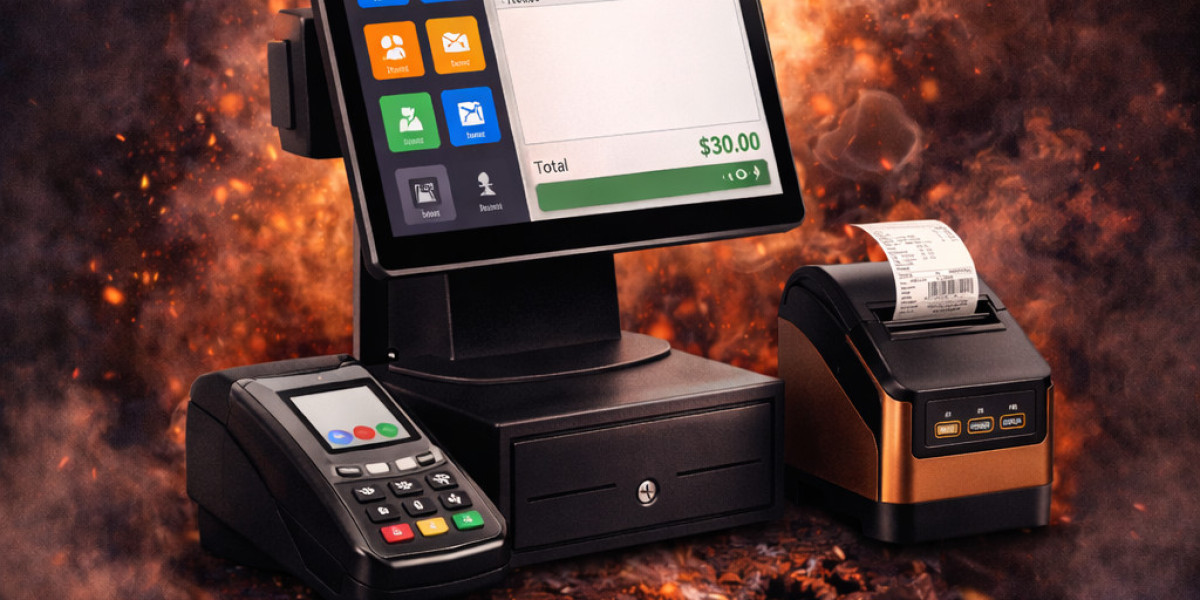
POS software is a system that allows businesses to process customer transactions efficiently. It replaces the traditional cash register with a modern, digital solution that offers various functionalities, such as tracking sales, managing inventory, processing payments, and generating reports. A POS system typically integrates both hardware (such as cash registers, barcode scanners, and receipt printers) and software to provide a seamless and reliable transaction process.
Key Features of POS Software
Modern POS software comes with a wide array of features that streamline business operations. Here are some of the most notable features:
1. Sales and Payment Processing
The most essential feature of any POS system is its ability to process sales transactions. POS software allows businesses to accept various forms of payments, including cash, credit cards, debit cards, and mobile wallets. This flexibility makes the checkout process quicker and more convenient for both the customer and the business owner.
2. Inventory Management
POS software helps businesses track inventory in real-time. As products are sold, the inventory automatically updates, ensuring that businesses are aware of stock levels at all times. This feature helps prevent stockouts, manage reorders, and even forecast future stock requirements based on sales trends.
3. Customer Relationship Management (CRM)
Many POS systems include a CRM feature that helps businesses keep track of customer information, purchase history, and preferences. This data can be used to tailor marketing efforts, improve customer service, and reward loyal customers with personalized discounts or promotions.
4. Analytics and Reporting
POS software generates detailed reports that offer insights into business performance. These reports can cover areas such as daily sales, profit margins, inventory turnover, and customer behavior. Access to these analytics helps business owners make informed decisions and optimize their operations for growth.
5. Employee Management
Managing staff is an essential part of any business. POS software often includes features that allow managers to track employee hours, sales performance, and commission rates. This functionality helps businesses streamline payroll processes and ensure that employees are held accountable for their performance.
6. Mobile and Cloud Integration
Many POS systems are now cloud-based or offer mobile versions, allowing business owners and employees to manage operations from anywhere. Cloud integration ensures that data is stored securely and is accessible from multiple devices, enabling businesses to operate smoothly across multiple locations.
Why is POS Software Important for Businesses?
1. Efficiency and Speed
POS software speeds up the checkout process, reducing wait times for customers and enhancing their overall shopping experience. With quicker payment processing, businesses can serve more customers in less time, increasing sales volume and customer satisfaction.
2. Enhanced Accuracy
Manual calculations and paper-based record-keeping are prone to errors, which can lead to discrepancies in inventory, financial records, and sales reports.POS software eliminates this risk by automating processes, reducing human error, and ensuring accurate records, while also seamlessly integrating with thermal paper printers for efficient receipt generation
3. Streamlined Inventory Management
With POS software, businesses can manage their inventory in real-time. This reduces the likelihood of overstocking or understocking products, ensuring that businesses only carry what they need. It also simplifies the process of reordering products by providing low-stock alerts and tracking product movements.
4. Better Customer Experience
A fast, efficient, and personalized customer experience is critical to retaining customers. POS software can help businesses achieve this by offering faster transactions, accurate inventory levels, and loyalty programs. By storing customer information, POS systems allow businesses to provide personalized service, such as targeted promotions or customized recommendations based on past purchases.
5. Data Security
As transactions and customer data are handled digitally, POS software ensures that sensitive information is securely stored and protected. Many POS systems use encryption and comply with industry standards such as PCI-DSS (Payment Card Industry Data Security Standard), providing a secure environment for both businesses and customers.
6. Scalability
As businesses grow, so do their needs. POS software is designed to scale with your business. Whether you're opening additional locations, expanding your product range, or growing your customer base, a good POS system can handle the increased demands of your business operations without sacrificing performance.
Types of POS Software
There are different types of POS systems available in the market, each designed to meet the specific needs of various industries. Here are the most common types of POS software:
1. Retail POS Software
Retail POS software is designed for businesses that sell physical goods, such as clothing stores, supermarkets, or electronics retailers. It typically includes features like barcode scanning, inventory tracking, and customer management to streamline the sales process and manage stock.
2. Restaurant POS Software
Restaurant POS software is tailored to the needs of the food service industry. It offers features such as table management, order tracking, menu customization, and bill splitting. This type of POS system helps improve efficiency in managing orders, payments, and customer service in busy restaurant environments.
3. Mobile POS (mPOS)
Mobile POS systems are designed for businesses that need flexibility and mobility, such as food trucks, pop-up shops, or home-based businesses. These systems run on tablets or smartphones, allowing employees to process transactions from anywhere, whether at the point of sale or out in the field.
4. Cloud-based POS Software
Cloud-based POS software stores data online, allowing businesses to access their system from any device with an internet connection. This type of POS system is highly flexible, as it eliminates the need for on-site hardware and offers remote access for business owners to manage operations from anywhere.
Choosing the Right POS Software for Your Business
Selecting the right POS software depends on your business type, size, and specific needs. Here are a few factors to consider when choosing a POS system:
Ease of Use: Look for a POS system that’s easy for your staff to learn and operate. A complicated system can lead to errors and slow down transactions, hurting customer satisfaction.
Integration with Existing Tools: Ensure the POS software integrates with your current tools, such as accounting software, payment gateways, and CRM systems.
Customer Support: Choose a POS provider that offers reliable customer support, ensuring that any issues with the system are quickly resolved.
Cost: POS software comes in a range of prices, so make sure to find a solution that fits your budget. While cloud-based POS systems often have subscription fees, they may be more affordable in the long term due to lower upfront costs.
Conclusion
POS software is a powerful tool that can transform the way businesses handle transactions, inventory, and customer management. By streamlining operations and offering valuable insights, POS systems help businesses enhance their efficiency, improve customer satisfaction, and drive growth. Whether you’re running a small retail store or a large restaurant chain, investing in reliable POS software is essential to staying competitive in today’s fast-paced business environment.
For more articles click here